 gilvt
gilvtSafe default: one Git worktree and branch per Agent. Give Claude Code and Codex tasks with different ownership, run verification inside each worktree, and merge only after reviewing each diff.
Create two independent worktrees
git worktree add ../project-feature -b agent/feature
git worktree add ../project-review -b agent/review

# Terminal 1
cd ../project-feature && claude

# Terminal 2
cd ../project-review && codex
This avoids the most common failure mode: one Agent reading or replacing a file while the other is still changing it.
Choose complementary roles
Parallel work is safest when the outputs can be evaluated independently. Useful pairings include:
- Claude Code implements a feature while Codex writes regression tests in a separate branch.
- One Agent investigates a failure and produces a report while the other works on an unrelated fix.
- One Agent makes the change while the other reviews the resulting commit without editing it.
- Frontend and backend work proceed in separate directories with an agreed interface.
Avoid telling both agents to “fix the same bug” in the same checkout unless you explicitly want competing solutions.
Give both agents the same completion contract
Each prompt should identify the target, boundaries and proof:
Implement the parser change in crates/example.
Do not edit the public API or generated fixtures.
Add regression tests for the two supplied cases.
Run cargo test -p example and summarize the changed files.
The tools may take different approaches, but their results become comparable because both must satisfy the same observable contract.
Keep verification local to each worktree
Run tests before merging branches together. Shared caches are usually fine, but shared ports, databases and generated files can still conflict. Allocate different port numbers or isolated temporary directories when both tasks start local services.
Manage attention across both TUIs
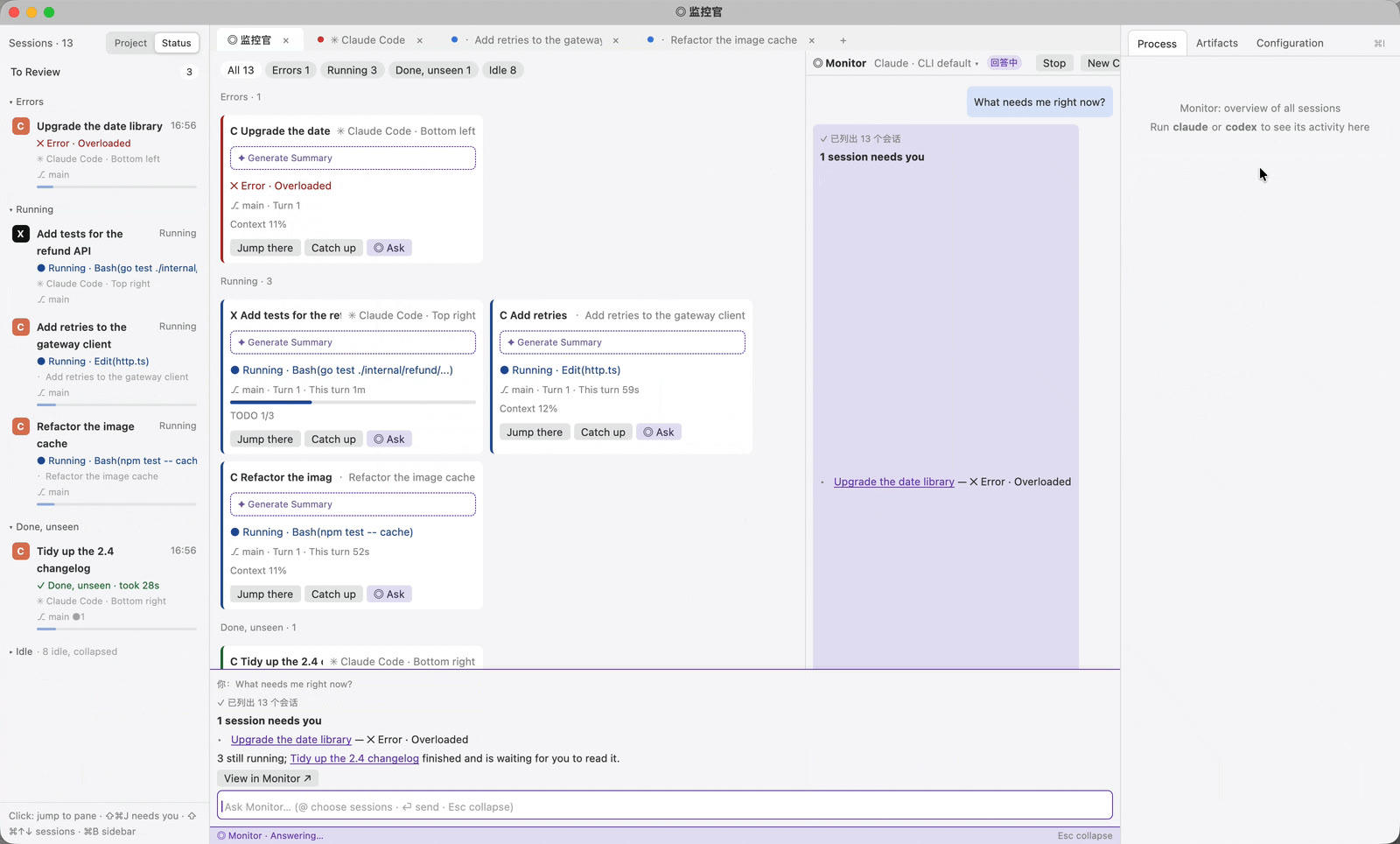
Claude Code and Codex expose different hooks and session formats. A normal terminal treats them as unrelated text screens. gilvt normalizes their high-level state while leaving both native interfaces untouched.
The same sidebar can show that Claude is awaiting approval while Codex is still running. Notifications and ⇧⌘J take you to the session that needs input, regardless of which Agent produced it.
Merge deliberately
- Review each Agent's commands, diff and test result.
- Commit the accepted result in its own branch.
- Merge or cherry-pick one branch at a time.
- Resolve semantic conflicts with the full test suite, not only Git's text conflict markers.
If the second branch was a review task, feed its findings back to the implementation session rather than merging edits automatically.
In gilvt: use ⇧⌘N to launch either Agent in a fresh worktree, ⌥⌘2 to inspect per-turn artifacts, and ⇧⌘R to find or resume older sessions.