 gilvt
gilvtSetup: install gilvt, open a pane and run claude. For sessions launched inside gilvt, status integration is injected at launch without rewriting your Claude settings or shell rc files.
What gilvt detects
gilvt combines Claude Code hooks, the local transcript and process identity. It normalizes running turns, permission requests, questions, failures, completion and subagent activity into one session model.
- The sidebar moves sessions waiting for approval or an answer into “Needs you”.
- Pane borders and tab dots show running, attention, error and completed-unread states.
- Native notifications bring you back to the correct pane.
- The inspector connects commands, tool calls, edits and TODOs to a per-turn timeline.
Review and resume
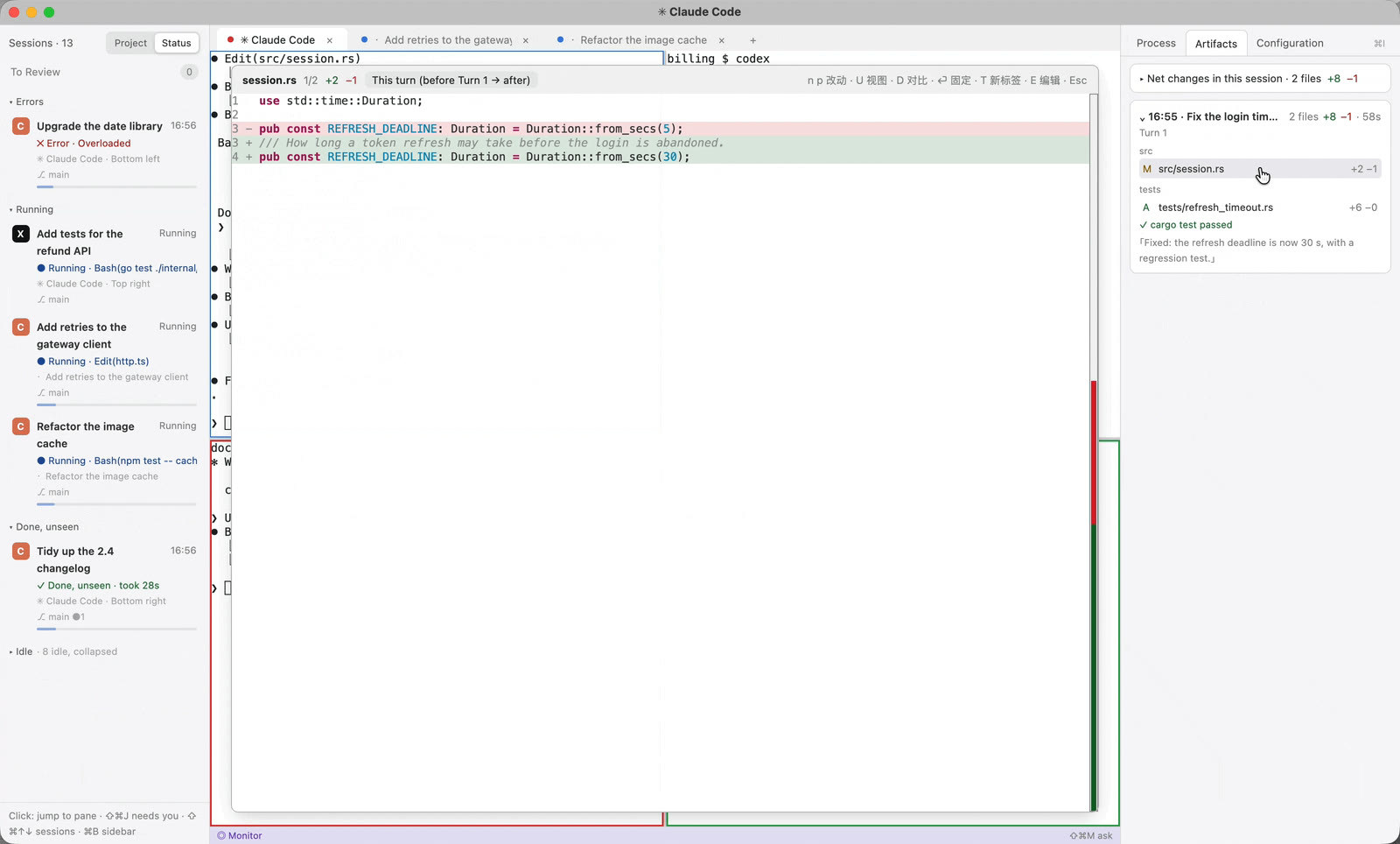
Artifacts group files by turn and open a “this turn” diff. Session Center can find older Claude sessions, review finished work offline and build the supported resume command for the original project.
Configuration remains yours
Launching Claude from gilvt uses temporary integration settings rather than permanently editing your existing Claude configuration. The inspector's Configuration tab reads an effective, redacted summary of models, permissions, MCP servers, hooks, skills and memory files.
If you want gilvt to discover Claude sessions started in other terminal applications, gilvt integrate install provides an explicit, reversible global-hook option. It is not required for ordinary sessions launched in gilvt.
Failure behavior
A missing hook or changed transcript format does not block terminal input. gilvt falls back to inferred or reduced status and keeps the native Claude process usable. Exact process-control actions are reserved for sessions with exact identity evidence.
Next: follow the multiple Claude Code sessions guide, or download gilvt for macOS.