 gilvt
gilvtSetup: install gilvt, open a pane and run codex. Supported hooks are supplied to the launched process without permanently replacing your Codex configuration.
One status model for Codex activity
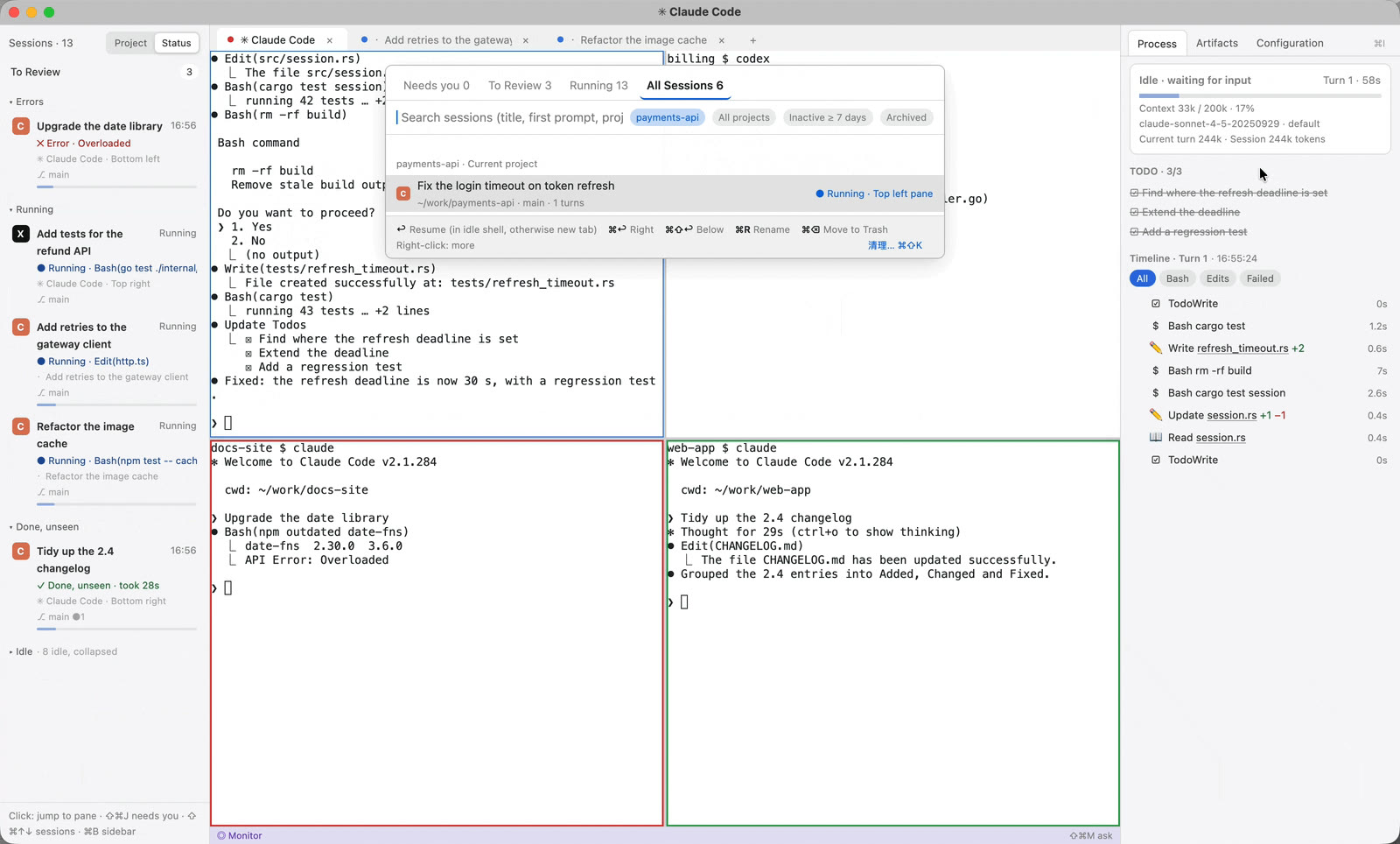
gilvt reads supported Codex hook events and local rollout data, then associates them with the pane that owns the process. The sidebar can distinguish active work, approval or user-input waits, errors, completed turns and child-agent activity.
- ⇧⌘J jumps to the next session that needs attention.
- The timeline shows commands, edits, TODOs, failures and subagent lifecycle events.
- Artifacts summarize changed files and open a diff scoped to the current turn.
- The Monitor combines Codex, Claude Code and ordinary terminals across windows.
Configuration summary without secrets
The Configuration inspector reads the effective Codex model, permission settings, MCP names, hooks, skills and AGENTS.md sources. Commands, URLs, tokens and environment-variable values are deliberately omitted.
Resume and alternative command names
Session Center indexes durable Codex sessions and can resume supported records in their original project. Teams that wrap Codex under another command can add command names in gilvt's [agent] configuration; exact behavior still depends on the wrapper preserving the relevant process and session signals.
Graceful compatibility
Agent CLI formats evolve. gilvt keeps recorded fixtures and fake-agent scenarios for the supported formats. If a hook is unavailable, the pane remains functional and the session is marked as inferred or reduced rather than receiving unsafe exact controls.
Next: see how to run Codex and Claude Code in parallel, or download gilvt for macOS.