 gilvt
Short version: install and sign in to claude or codex on the remote host, start it from an SSH session in the project directory, and decide up front whether the process must survive a dropped connection (use tmux) or whether resuming the conversation is enough (claude --resume, codex resume). Then make the remote agents' state visible on your Mac, so you are not polling SSH tabs.
Why run the agent on the remote machine
- The code and its environment live there. Builds, tests, databases and GPUs that only exist on the server are available to the agent's tools directly.
- Isolation. An agent that runs commands does so on a disposable dev box instead of your laptop.
- Long jobs. A test suite that takes twenty minutes does not tie up your machine.
Your Mac stays the place where you read, decide and approve; the server does the work.
1. Install and sign in on the remote host
Claude Code and the Codex CLI both run on Linux and macOS. Install them on the remote host the way their documentation describes, then run them once in an SSH session to sign in. On a headless server the sign-in flow gives you a URL to open in your local browser. Do this once per host and user; later sessions reuse the stored credentials.
ssh devbox
cd ~/src/payments-api
claude          # or: codex
Start the agent from the project directory: both CLIs scope their session history and project settings to the directory they were started in.
2. Decide what should survive a dropped connection
When an SSH connection drops, the processes in that login session normally end with it, including an agent in the middle of a turn. There are two different ways to recover, and they solve different problems:
| tmux on the remote host | Agent resume | |
|---|---|---|
| What survives | The running process: the agent keeps working while you are disconnected | The conversation: history, context and the session's identity |
| How you get back | ssh devbox, then tmux attach | claude --resume or claude --continue; codex resume |
| Cost | Another layer between you and the agent's TUI; mouse, scrollback and key handling go through tmux | A turn that was cut off has to be asked for again |
For short, interactive sessions on a stable connection, resume is usually enough. For long autonomous turns, or a flaky network, run the agent inside tmux.
3. Keep the connection cheap to reopen
If you open several panes to the same host, let them share one SSH connection so new panes start instantly and authenticate once:
# ~/.ssh/config
Host devbox
  HostName devbox.example.com
  ControlMaster auto
  ControlPath ~/.ssh/cm-%r@%h:%p
  ControlPersist 10m
  ServerAliveInterval 30
ServerAliveInterval also makes a dead connection fail fast instead of hanging.
4. Don't lose track of remote sessions
The real cost of remote agents is attention. A local agent can at least ring a bell; a remote one sits in an SSH tab waiting for approval, and you find out when you happen to look. With two or three hosts and several sessions each, checking every tab becomes the job.
What helps is getting the same signals you would have locally — needs approval, asking a question, failed, done — on your Mac, with a way to jump straight to the pane. You can build part of this with agent hooks that send a message back to your Mac (see getting notified when Claude Code needs you), but the hook runs on the server, so it needs a path back to your Mac.
How gilvt handles SSH
In gilvt you keep typing plain ssh. For an interactive login to a Linux host (x86_64 or aarch64) or an Apple Silicon Mac, gilvt treats the pane as remote: the pane and tab show the host, the remote shell gets gilvt's shell integration, and the remote directory is tracked. ssh host command, scp and git push run unchanged.
- The first time you connect to a host, gilvt asks whether to install a small helper there (
~/.gilvt-server).Yinstalls it,nskips it this time,Nnever asks again for that host. Without it, ssh logs in the plain way. - Run
claudeorcodexin the remote shell as usual. The session appears in gilvt's sidebar next to your local ones, with the same states, notifications, ⇧⌘J jump-to-approval and per-turn inspector timeline. - Look at remote files from the remote shell:
gilvt view,gilvt diffand ⌘-click on a path open the host's files in Quick Look, and the built-in editor writes changes back to the host. - Resume later: remote sessions are in the session history (⇧⌘R), so you can resume one after the connection is gone.
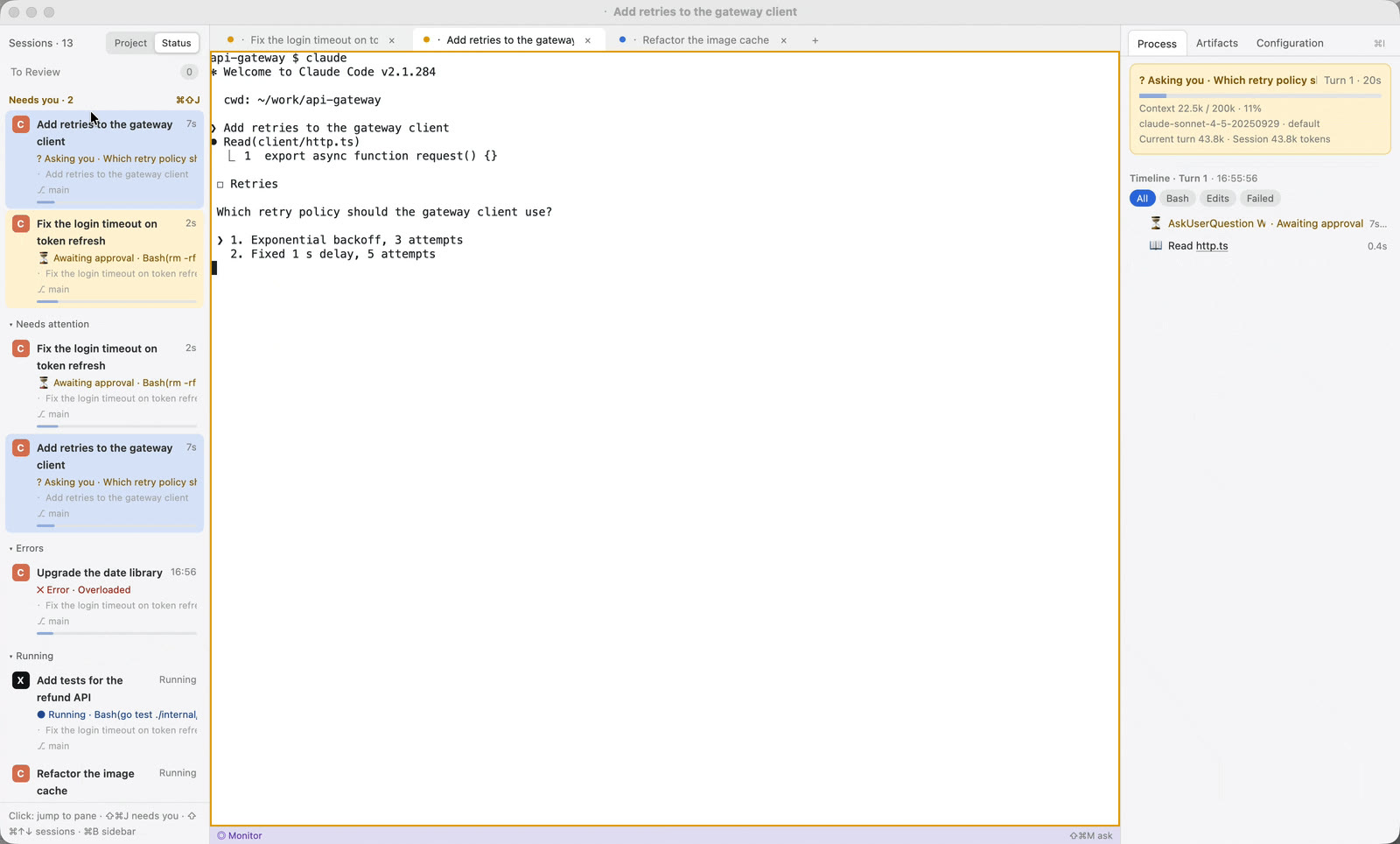
To skip gilvt's handling for one connection, run command ssh host or GILVT_SSH=0 ssh host. To remove the helper from a host: pkill -f '[.]gilvt-server/'; rm -rf ~/.gilvt-server.
Current limits
SSH support in gilvt is a preview. Be aware of what it does not do yet:
- Agents running inside tmux on the remote host are not detected yet. If you need tmux for persistence, you keep tmux's benefits but lose the sidebar state for those sessions.
- Intel Macs as hosts, mosh, and hopping from the remote host on to a third machine are not supported; those connections log in the plain way.
- ⌘P file search, git status and the inspector's Artifacts and Configuration tabs are not available for remote panes yet.
The full list is in the user guide's SSH section.
Try it: download gilvt (free, macOS 11 or later), open a pane, ssh to your dev box and start claude. The session shows up in the sidebar as soon as it starts.